If you work in a safety-sensitive industry such as trucking, pipeline, construction, aviation, or energy and your employer uses DISA Global Solutions for drug testing and background checks, your DISA status directly affects your ability to work.
As a DISA-qualified SAP provider, AACS Counseling works with employees and employers across the country to check status, resolve violations, and complete the return-to-duty process quickly. This guide explains how to check your DISA status and what to do if something is wrong.
What Is DISA?
DISA Global Solutions is a third-party administrator (TPA). It provides drug and alcohol testing, background checks, and compliance management for employers in safety-sensitive industries, including those regulated by the U.S. Department of Transportation.
DISA offers the following services:
- Pre-employment drug and alcohol tests
- Random drug tests
- Post-accident drug and alcohol tests
- Reasonable suspicion tests
- Return-to-duty drug tests
- Follow-up tests
- Employment background checks
- Driver qualification file management
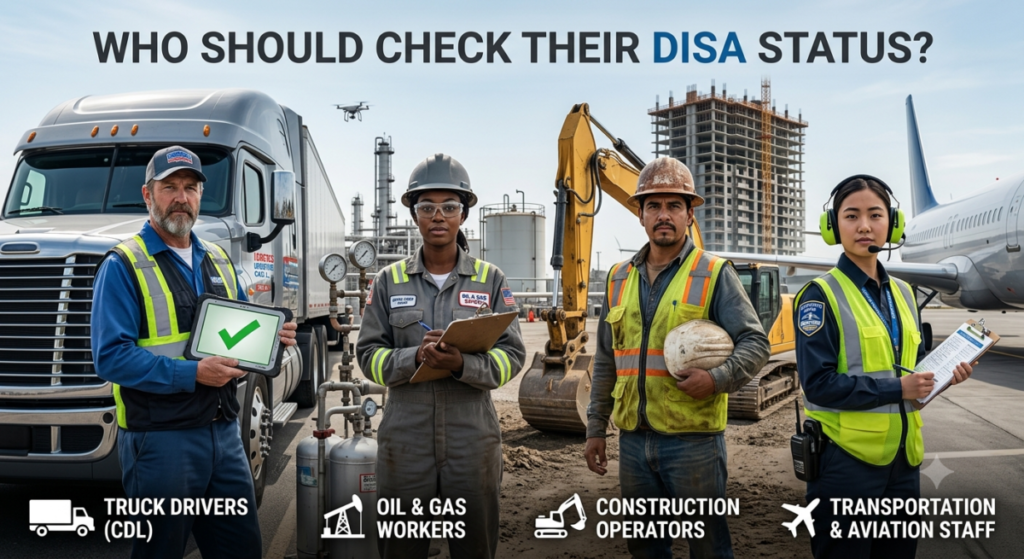
Who Should Check Their DISA Status?
If your employer uses DISA, your status matters every time you apply for a job, report for a test, or return from a violation. Here is who should be checking:
Employees
Check your DISA status regularly to confirm you are up to date and in compliance with all drug testing requirements. If you have completed a return-to-duty process, verify that your status has been updated in both DISA and the FMCSA Drug and Alcohol Clearinghouse.
Applicants
Check your DISA status before applying to a new employer that uses DISA. Make sure your background check is complete, all documents are submitted, and you are not in a prohibited status.
Employers
Employers should check DISA to confirm that applicants and current employees are not in a prohibited status and are fully compliant with all requirements before assigning safety-sensitive duties.
Steps to Check Your DISA Status
Step 1: Obtain Login Credentials
You will need login credentials from your employer. If you have not been provided with them, contact your HR representative and request access.
Step 2: Log In to the DISA Portal
Go to DISA.com and select the portal your company uses. DISA provides several portals depending on your employer’s setup:
- DISA Works
- DISA Screen
- DISA MAPP
- DISA Shared Service
Log in using the credentials provided by your employer.
Step 3: Locate the Status Monitoring Tab
After logging in, explore the dashboard to find the status monitoring tab. DISA provides FAQs and training videos if you need help navigating the portal.
Step 4: Check Your Background Check Status
If you have undergone a background check through DISA, you can access its status from the dashboard. If you notice any inaccurate information, file a dispute with DISA to get it corrected.
Step 5: Check Your Drug Testing Records
Your drug testing history, random test selections, and reported results are all visible from the dashboard. Review these records regularly to stay on top of your compliance.
Step 6: Check Your Compliance Status
DISA uses color coding to indicate your compliance status:
- Green: You are in compliance
- Red: You have not met requirements. This may indicate a failed test, pending results, or an unresolved violation
Why Does My DISA Status Show I Am Prohibited?
A prohibited status in DISA can result from several causes. Here are the most common:
1. Drug or Alcohol Violation
This is the most common cause. A prohibited status from a drug or alcohol violation can result from:
- Positive drug or alcohol test
- Refusing a drug or alcohol test
- Leaving the testing site early
- Submitting an adulterated or substituted sample
- Skipping a scheduled drug or alcohol test
- Arriving at the testing site outside the required time window
To resolve a drug or alcohol violation, you must complete the full return-to-duty process with a DISA-qualified SAP. See the next section for step-by-step details.
2. Incomplete or Failed Background Check
You may show as prohibited if your background check is incomplete or contains disqualifying information. Common reasons include:
- Poor driving history or major traffic violations
- Disqualifying criminal history
- Discrepancies in education or employment history
- Missing documents such as your CDL, safety performance history, or DOT physical
Check DISA to identify which documents are missing and contact your employer to resolve the issue.
3. Requirements Not Met
An expired DOT medical card or incomplete training requirements can also trigger a prohibited status. Complete your DOT physical when required, finish all mandated training, and submit documentation through the DISA portal.
4. Medical Disqualification
If a DOT medical examiner determines you are not medically fit to drive, you will be prohibited from safety-sensitive work until your medical condition improves and you pass a new DOT physical.
5. Administrative Error or Record Mismatch
Errors in DISA records can cause an incorrect prohibited status. These may include:
- Incorrect CDL number or mismatched SSN
- Data entry errors
- SAP evaluation completion not recorded in the system
How to Complete the DISA Return-to-Duty Process
If your prohibited status is the result of a drug or alcohol violation, the only way to resolve it is to complete the return-to-duty process with a qualified SAP. Here is how it works with AACS Counseling:
Step 1: Initial SAP Evaluation
You meet with a DISA-qualified SAP who evaluates your violation and substance use history under 49 CFR Part 40. At AACS Counseling, this evaluation is conducted virtually via secure, HIPAA-compliant telehealth. Same-week appointments are available.
Step 2: Complete Recommended Education or Treatment
Your SAP prescribes a customised plan based on clinical findings. This may include substance abuse education classes, outpatient counseling, or other treatment as appropriate. You must complete every requirement exactly as directed.
Step 3: Follow-Up SAP Evaluation
Your SAP verifies full compliance with all recommendations. Done right, you move forward. If requirements are met, the SAP updates your status and issues RTD clearance.
Step 4: Return-to-Duty Drug Test
Your employer orders a directly observed return-to-duty drug and/or alcohol test. A negative result is required before you resume safety-sensitive work. Your employer or C/TPA handles this step.
Step 5: Follow-Up Testing
After returning to work, you must complete a minimum of 6 unannounced tests in the first 12 months. The plan can extend up to 5 years based on your SAP’s recommendation. Your employer or C/TPA manages this phase.
How to Keep Your DISA Status Clear
- Always report for drug or alcohol tests when directed
- Do not use illicit drugs at any time, including marijuana
- Do not drink alcohol on duty or within four hours of going on duty
- Keep your DOT medical card and certifications current
- Complete the return-to-duty process after any DOT drug or alcohol violation
- Respond quickly to communications from your employer or SAP
- Submit to all required follow-up tests
- Log in to DISA regularly to confirm your status is green
Frequently Asked Questions
What is DISA?
DISA Global Solutions is a third-party administrator (TPA) that provides drug and alcohol testing, background checks, and compliance management for employers in safety-sensitive industries, including those regulated by the DOT.
If I change employers, does my DISA status reset?
No. Your DISA status does not reset when you change employers. New employers using DISA will see your status. Employers must also query the FMCSA Clearinghouse before hiring CDL drivers, which shows any unresolved violations.
Can I dispute my DISA status if I think there is a mistake?
Yes. DISA provides a dispute form. Submit it along with supporting evidence showing the information is inaccurate. You can also contact your employer or SAP provider to help resolve record mismatches.
Does completing the SAP program remove my DISA violation?
No. Completing the SAP program updates your status to show RTD-eligible or RTD-completed. The violation itself remains on record. However, a completed record demonstrates full compliance and is far better than an unresolved violation.
How long does the DISA return-to-duty process take?
The timeline depends on your individual case and the SAP’s recommendations. Education-only cases may take 2 to 4 weeks. Cases requiring treatment can take longer.
Conclusion
Your DISA status directly affects your ability to work in a safety-sensitive role. Checking it regularly, understanding why it may show prohibited, and acting quickly when issues arise are all essential to protecting your career.
If your prohibited status is the result of a drug or alcohol violation, the only path forward is completing the return-to-duty process with a qualified, DISA-approved SAP.
Ready to Get Back to Work?
Contact AACS Counseling today to schedule your DISA SAP evaluation and start your return-to-duty process.